
Update: Trimble Pathfinder Office has been discontinued. This post is preserved for users still running legacy installations. For current field data collection and post-processing workflows, please contact our team.
When customers are installing the latest version of Trimble Pathfinder Office some of them are seeing the following error when they try to open up Pathfinder Office.
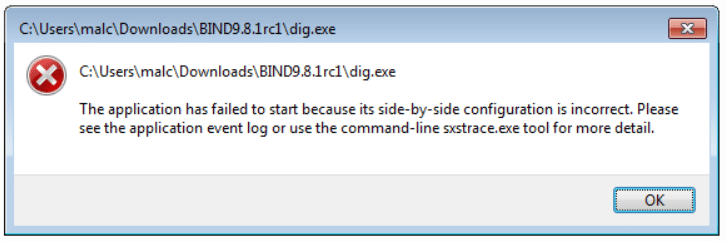
Here is the fix to the following error message.
- First, ensure that the you have FULL admin rights. If not in any capacity, you need your IT personnel to install.
- Next, ensure the Microsoft .NET and C++ redistributable in place for Pathfinder Office to install and run properly.
- You will also need to go to Control Panel / Programs and Features and then on the left hand side table of contents to ‘Turn Windows Features on/off’. Scroll to the Microsoft .NET Framework version 3.5.1 and expand. Select both check boxes and select OK. While you are in Control Panel, go to User Accounts and Manage account settings and set the Slider Bar to Never Notify.
- Last is to install the C++ 2008 and 2013 redistributable packages.